AnimatedScale and AnimatedRotation and AnimatedSlide
Purpose
Grow, turn or shift a child to each new value without moving its neighbours.
Signature
pub struct AnimatedScale<Msg = crate::callback::Callback> { .. }

impl AnimatedScale {
    pub fn new(scale: f32, duration: f32, curve: Curve, child: impl Widget<Msg> + 'static) -> Self;
    pub fn about(
        scale: f32,
        pivot: frus_core::Alignment,
        duration: f32,
        curve: Curve,
        child: impl Widget<Msg> + 'static,
    ) -> Self;
}
pub struct AnimatedRotation<Msg = crate::callback::Callback> { .. }

impl AnimatedRotation {
    pub fn new(
        radians: f32,
        duration: f32,
        curve: Curve,
        child: impl Widget<Msg> + 'static,
    ) -> Self;
    pub fn about(
        radians: f32,
        pivot: frus_core::Alignment,
        duration: f32,
        curve: Curve,
        child: impl Widget<Msg> + 'static,
    ) -> Self;
}
pub struct AnimatedSlide<Msg = crate::callback::Callback> { .. }

impl AnimatedSlide {
    pub fn new(
        fx: f32,
        fy: f32,
        duration: f32,
        curve: Curve,
        child: impl Widget<Msg> + 'static,
    ) -> Self;
}
Example
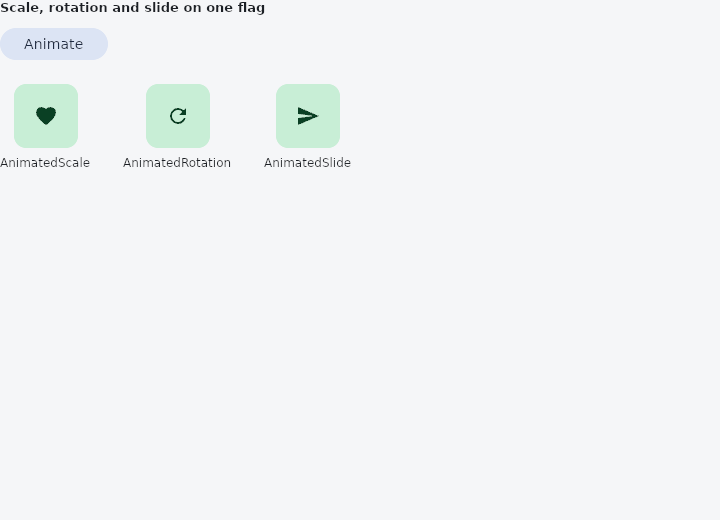
From frus-examples/widgets/src/features/animation/widgets/animated_transform.rs:
//! `AnimatedScale`, `AnimatedRotation` and `AnimatedSlide` — grow, turn or shift a child to
//! each new value.
//!
//! All three only change how the child is **painted**: its box stays where the layout put
//! it, so the neighbours never move.

use std::f32::consts::PI;

use frus::{
    component, Align, Alignment, AnimatedRotation, AnimatedScale, AnimatedSlide, Button, Column,
    Component, Container, Curve, Icon, Icons, Row, Text, Variant, Widget,
};

use crate::common::shared::{section, sections};

pub fn example() -> Box<dyn Widget> {
    sections(vec![Box::new(section(
        "Scale, rotation and slide on one flag",
        transforms(),
    ))])
}

fn transforms() -> Component {
    component(|cx| {
        let active = cx.use_state(|| false);
        let on = active.get();
        let scheme = &cx.theme().scheme;

        let tile = |icon| {
            Container::new()
                .width(64.0)
                .height(64.0)
                .radius(12.0)
                .color(scheme.primary_container)
                .alignment(Alignment::CENTER)
                .child(Icon::new(icon).color(scheme.on_primary_container))
        };
        let labelled = |label: &str, child: Box<dyn Widget>| {
            Column::new()
                .spacing(8.0)
                .cross_axis_alignment(Align::Center)
                .child_boxed(child)
                .child(Text::new(label).size(12.0))
        };

        let toggle = active.clone();
        Box::new(
            Column::new()
                .spacing(20.0)
                .cross_axis_alignment(Align::Start)
                .child(
                    Button::new(if on { "Reset" } else { "Animate" })
                        .variant(Variant::Tonal)
                        .on_press(move || toggle.update(|on| *on = !*on)),
                )
                .child(
                    Row::new()
                        .spacing(32.0)
                        // A press feedback, a favourite that pops: scale about the centre.
                        .child(labelled(
                            "AnimatedScale",
                            Box::new(AnimatedScale::new(
                                if on { 1.3 } else { 1.0 },
                                0.25,
                                Curve::ease_out(),
                                tile(Icons::FAVORITE),
                            )),
                        ))
                        // A refresh arrow, an expand chevron: the angle is in radians.
                        .child(labelled(
                            "AnimatedRotation",
                            Box::new(AnimatedRotation::new(
                                if on { PI } else { 0.0 },
                                0.4,
                                Curve::ease_in_out(),
                                tile(Icons::REFRESH),
                            )),
                        ))
                        // The offset is a fraction of the child's own size: 0.5 is half
                        // its width.
                        .child(labelled(
                            "AnimatedSlide",
                            Box::new(AnimatedSlide::new(
                                if on { 0.5 } else { 0.0 },
                                0.0,
                                0.3,
                                Curve::ease_out(),
                                tile(Icons::SEND),
                            )),
                        )),
                ),
        )
    })
}
Properties
No builder methods: everything is set through the constructor.
Behaviour
AnimatedScale
Grows and shrinks its child rather than letting it jump between sizes — a paint-time scale, so nothing around it moves.
It wraps a Transform that was told to animate: the widget declares the scale it is heading for and the runtime drives it there, on the same clock as every other implicit animation here.
use frus_core::Curve;
use frus_widgets::{AnimatedScale, Text};

let pressed = true;
let _sunken: AnimatedScale<()> = AnimatedScale::new(
    if pressed { 0.95 } else { 1.0 },
    0.12,
    Curve::ease_out(),
    Text::new("Tap"),
);
AnimatedRotation
Turns its child rather than letting it snap between angles — a paint-time rotation, so nothing around it moves.
use frus_core::Curve;
use frus_widgets::{AnimatedRotation, Icon, Icons};

let open = true;
let _chevron: AnimatedRotation<()> = AnimatedRotation::new(
    if open { std::f32::consts::PI } else { 0.0 },
    0.2,
    Curve::ease_in_out(),
    Icon::new(Icons::EXPAND_MORE),
);
AnimatedSlide
Slides its child by a fraction of its own size, at paint time, moving there rather than jumping.
(1.0, 0.0) is one whole width to the right — exactly clear of where the child was, whatever that width turns out to be. That is the difference between this and an animated Transform::translate: the number the caller writes is a multiple of a size the layout decides, so a panel can be parked off its own edge without anybody having to know how wide it ended up.
use frus_core::Curve;
use frus_widgets::{AnimatedSlide, Text};

let open = true;
let _panel: AnimatedSlide<()> = AnimatedSlide::new(
    if open { 0.0 } else { -1.0 },
    0.0,
    0.25,
    Curve::ease_out(),
    Text::new("Filters"),
);
Layout is untouched: the box stays where it was put and the neighbours do not move, so a child sliding out leaves its space behind rather than dragging the page after it.
See also
- AnimatedPadding: insets a child by an amount that moves to each new value.
- AnimatedPositioned: a stack layer whose pins move: panels that slide in, cards that travel.
- AnimatedDefaultTextStyle: the text style handed down to a subtree, moving to each new style.
- AnimatedFractionallySizedBox: a fraction of the room, moving to each new fraction.
- AnimatedSize: a box that follows its child's size over time instead of jumping.
- The guide: Animation
- API reference:
AnimatedScale - API reference:
AnimatedRotation - API reference:
AnimatedSlide
Source: crates/frus-widgets/src/animated.rs, crates/frus-widgets/src/animated.rs, crates/frus-widgets/src/animated.rs @ e6fba33f5b42